Careers
Part of Social media content planning: a practical guide
Comparing native scheduling against a dedicated content calendar tool
Native scheduling versus dedicated calendar tools for social teams is compared on approvals, permissions, bulk exports, analytics and price.
What to take away
- Native scheduling against a dedicated content calendar tool comes down to records. YouTube Studio, LinkedIn Page, Meta Business Suite and Pinterest handle timing and platform records but hold no briefs, approvals or rights notes, so they cannot be the only system a team runs on.
- Loomly, Sprout Social, Later, Buffer and Hootsuite each cover a different gap. Pick by the gap, not by the feature list.
- Compare them on approvals, permissions, bulk exports, analytics and price. Published prices cluster from free native tools to Sprout Social Standard near $249 per user monthly.
- Test one ordinary post and one high-risk post through every real role before you sign.
- Ask what exports when the contract ends. A calendar you cannot leave is a calendar you do not own.
- Recheck pricing on the vendor's own page before buying. Published tiers change.
What native scheduling actually does
YouTube Studio lets you upload a video as private, set a publish date, time and time zone, then reschedule or publish it early. The watch-page date follows that setting. That is the whole job: one asset, one moment.
Native Scheduling by Platform
YouTube Studio
- Scheduling
- Yes
- Approval trail
- No
- Rights note
- No
- Brief fields
- No
- Extra cost
- Free
LinkedIn Page
- Scheduling
- Yes
- Approval trail
- No
- Rights note
- No
- Brief fields
- No
- Extra cost
- Free
Meta Business Suite
- Scheduling
- Yes
- Approval trail
- No
- Rights note
- No
- Brief fields
- No
- Extra cost
- Free
LinkedIn Page scheduling is narrower. It depends on your admin role, runs inside a set window, and excludes some post types. Remove the admin and the scheduled posts transfer or stall.
Meta Business Suite schedules Facebook Page and Instagram posts, with roles set in Business Manager. Pinterest business accounts can schedule Pins. TikTok Business Center schedules posts for business accounts, with limits by region and format. X's web composer offers scheduling for some account types, and some features sit behind X Premium.
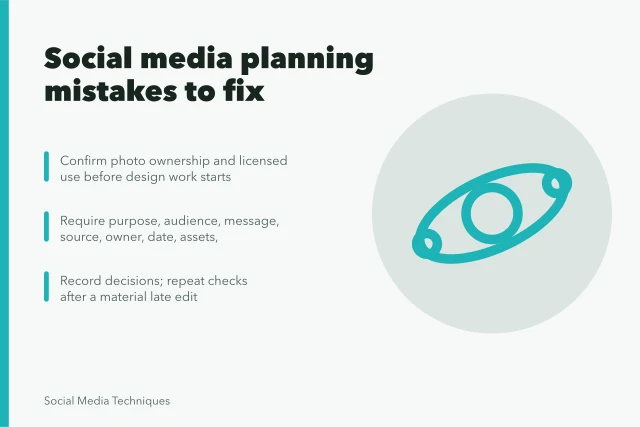
YouTube, LinkedIn, Meta Business Suite and Pinterest add no separate scheduling subscription, and none of them holds a brief, a rights note or an approval trail. Meta Business Suite adds Page roles, but not a full brief or rights record. For that you need a social media content planning system with fields a scheduler does not have.
Prices cluster from free native scheduling to Sprout Social Standard near $249 per user monthly. Hootsuite entry lists near $99 and Buffer Essentials near $6 per channel. Run one ordinary post and one high-risk post through every real role before you sign up.
The dedicated tools, by name
| Tool | Approvals | Permissions | Bulk exports | Analytics | Typical price |
|---|---|---|---|---|---|
| YouTube Studio | None | Channel roles | YouTube Analytics export | Views, watch time | Free |
| LinkedIn Page | None | Page admin roles | Page analytics export | Impressions, engagement | Free |
| Loomly | Multi-stage approvals and client review | User roles by plan | Calendar and report exports on higher tiers; check plan | Post and calendar reports | Around $30 to $60 per user monthly |
| Sprout Social | Approval workflows above entry | Role permissions above entry | Report exports and scheduled reports on higher tiers | Inbox, listening and cross-network reports | Standard near $249 per user monthly |
| Later | Approval flow on higher plans | User roles by plan | Limited export; check plan | Visual and post analytics | Free tier; paid around $25 to $80 monthly |
| Buffer | Simple approval on paid plans | Limited roles | Basic post export; check plan | Post analytics | About $6 per channel monthly for Essentials, $12 for Team |
| Hootsuite | Team approvals | Team permissions | Bulk scheduling and report exports on higher tiers | Cross-network analytics | Entry near $99 monthly for one user, $249 for small teams |
Prices here are published list tiers, not quotes, seen when this draft was last updated. They move with seats, channels and tier, so recheck the vendor's pricing page in the month you buy.
Loomly. Built around a shared calendar with approval stages and a client-review link. Suits small agencies juggling several accounts. Pricing is per user, per month, tiered by accounts and approval workflow. Entry tiers typically sit near $30 to $60 per user monthly, with advanced approvals above $100. Check the current tiers on Loomly's pricing page.
Dedicated Tools at a Glance
Loomly
- Approvals
- Multi-stage
- Permissions
- By plan
- Bulk exports
- Higher tiers
- Analytics
- Post reports
- Price
- $30-$60/user
Sprout Social
- Approvals
- Workflows
- Permissions
- Role-based
- Bulk exports
- Higher tiers
- Analytics
- Cross-network
- Price
- ~$249/user
Buffer
- Approvals
- Simple
- Permissions
- Limited
- Bulk exports
- Basic
- Analytics
- Post analytics
- Price
- $6-$12/channel
Sprout Social. Strongest on unified inbox and reporting across networks, with approval workflows and role permissions above the entry tier. Suits teams that answer comments and messages as much as they publish. Per-seat pricing, higher than the calendar-first tools. Standard seats often list near $249 per user monthly, with annual discounts.
Later. Visual-first, built for Instagram and TikTok grids, with a link-in-bio tool. Suits consumer brands where the feed look is the brief. It has a free tier, then paid tiers by user count and features. Paid plans typically run from around $25 to $80 monthly.
Buffer. The cheapest credible option for scheduling across the main networks, with a simple approval flow on paid plans. Suits solo operators and two-person teams. Per-channel pricing, not per-seat, changes the math as you add accounts. Essentials has listed near $6 per channel monthly and Team near $12.
Hootsuite. Broad network coverage, bulk scheduling, and team permissions. Suits larger teams that need many accounts under one roof. Per-seat pricing at the top of this list. Entry plans have listed near $99 monthly for one user and $249 for small teams, with enterprise deals custom.
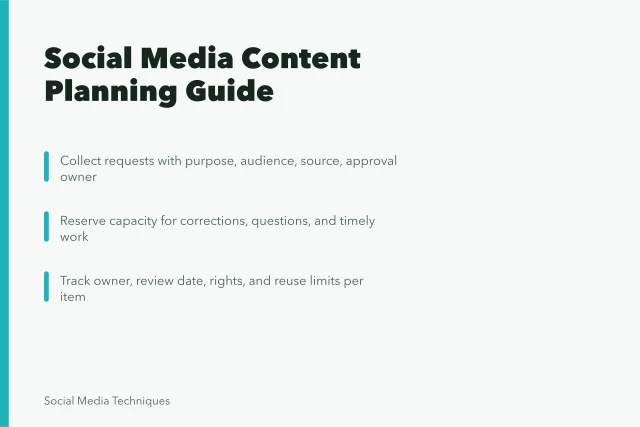
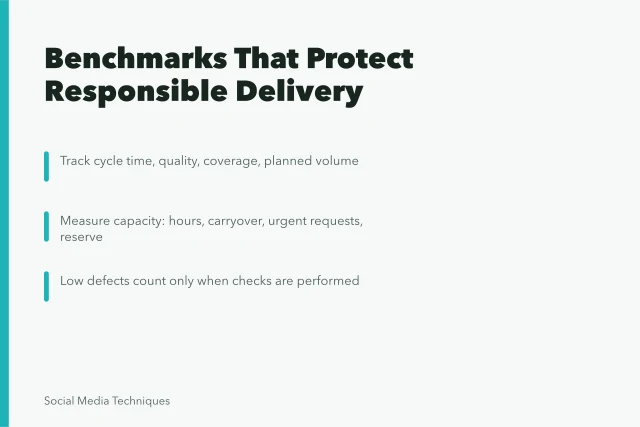
A note on the social media content planning benchmarks most teams track: none of these tools define them for you. They import what you tell them to import.
Where the native route still wins
Native publishing is the final record. If a post exists, the platform knows about it and the calendar tool may not.
Good for
- YouTube Studio scheduling
- Timed video publication
- LinkedIn Page scheduling
- Admin-managed future Page posts
- Meta Business Suite
- Facebook and Instagram timing
- Loomly, Later, Buffer
- Calendar, approvals, client review
- Sprout Social, Hootsuite
- Inbox, reporting, permissions
Still needs another record
- YouTube Studio scheduling
- Brief, rights, review, response
- LinkedIn Page scheduling
- Cross-team dependencies and evidence
- Meta Business Suite
- Approval trail beyond platform roles
- Loomly, Later, Buffer
- Final published post record
- Sprout Social, Hootsuite
- Nothing, if the export is clean
Run one ordinary post and one high-risk post
Pick a routine post and a post that carries a claim, a paid partnership or a regulated product. Move both through the real steps:
- request
- brief
- production
- approval
- scheduling
- response
- reporting
- archive
Ask every person who touches the post to do their real step. Write down missing fields, double entry, unclear notifications, export failures and manual workarounds. A tool that needs a spreadsheet beside it has not replaced the spreadsheet.
Compliance checks before you sign
In the United States, the FTC endorsement guides govern disclosure of paid partnerships and gifted products. A material connection has to be clear and hard to miss. CAN-SPAM sets the opt-out and identification rules for commercial email.
State privacy laws, including the California Consumer Privacy Act as amended, cover the personal data you collect through lead forms and comment moderation. State rules also add opt-out rights for targeted advertising.
Canada sets its own rules for the second market. PIPEDA governs how you handle personal data you collect through lead forms and comment moderation. CASL sets the consent rules for commercial electronic messages, and the CRTC enforces them. Quebec's Bill 96 adds French-language requirements for commercial advertising in that province.
CRA treatment of influencer gifts and sponsored content is a tax question, not a marketing one.
None of that is legal advice. Confirm your own position with a qualified lawyer or accountant in your own jurisdiction. Check the FTC in the US and Health Canada in Canada, plus the applicable advertising standards, before any health claim goes near a paid post.
Cost, and the exit
Setup, migration, seats, training, integrations, storage, support and the contract term all shape the cost, but the export question decides: when this ends, what do I get back?
Calendars, assets, approvals, reports and history should export in a format you can read without the vendor.
US teams can borrow the questions even though both sources are UK government guidance. The GOV.UK guidance on choosing technology is written for public services, but its questions travel. Is the choice adaptable, who controls the data, and what does ownership cost over the full term?
The GOV.UK guidance on open standards makes the interoperability case. Test whether your data and definitions move between tools. If they do not, you are renting the calendar, not owning it.
Common questions
What is the best social media content calendar tool?
There is no single answer. Loomly and Buffer suit small teams and agencies on price. Sprout Social and Hootsuite suit teams that need inbox and reporting depth. Match the tool to the gap you named, then run the two-post test.
Can native scheduling replace a calendar tool?
No. YouTube Studio, LinkedIn Page, Meta Business Suite and Pinterest handle timing and platform records. Briefs, approvals, rights, response and measurement live elsewhere. If that somewhere is email, you have no record.
How do I test a tool before buying?
Move one ordinary post and one high-risk post through every real role. Record missing fields, double entry and access problems. Add exports, support response and total cost. Then check the social media content planning checklist against what you found.
Do I need a lawyer to review my social media process?
For FTC endorsement disclosure, CAN-SPAM and state privacy law in the US, and for CASL consent, PIPEDA data handling, Bill 96 French-language requirements and CRA treatment of sponsored content, yes. Name the rule, then get advice on your own facts. The planning process is a marketing question; the compliance around it is not.